Visual vs text website monitoring
Use visual monitoring when the appearance and surrounding context matter. Use text monitoring when the words matter. For a price or stock question, start with a product monitor that understands that event instead of treating every page edit as equally important.
A product guide by ChangeEagle · Updated
Visual regions: appearance and context
A screenshot region works well for a pricing card, notice or badge. Before-and-after pictures help you understand where a change occurred. The tradeoff is sensitivity to layout shifts, animation and page rendering. A small stable region usually produces clearer evidence than an entire busy page.
Text: wording rather than layout
Text monitoring suits policy paragraphs, documentation or an announcement section where a changed sentence matters. It avoids treating a purely visual redesign as the main event. It still needs accessible page content and a sensible scope; a rotating footer or timestamp can create noise if included.
Products: a price or availability event
Choose product monitoring for a price drop or a return to stock. Confirm that the initial detected price, currency and variant match the source. A retailer may load these values dynamically or personalize them, so a successful page load alone does not prove that the right value was detected.
Set a sustainable schedule
Screenshot checks use a browser capture and have a different minimum interval from standard checks. Compare both schedules on the pricing page. Start at a useful cadence, review the first results and increase frequency only when faster information changes what you will do.
Read the evidence: one page, two states
These pictures show a visual comparison. A product-price condition would instead evaluate the number; a text condition would examine the words. Pick the method that answers your question.
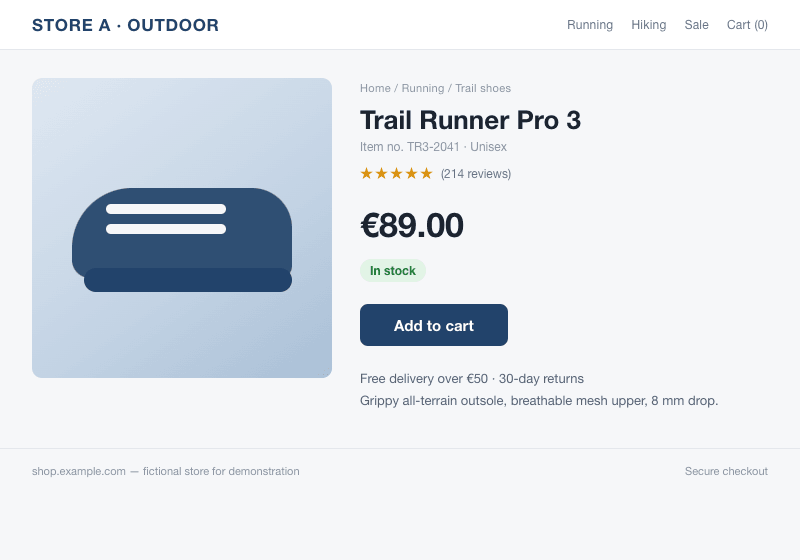
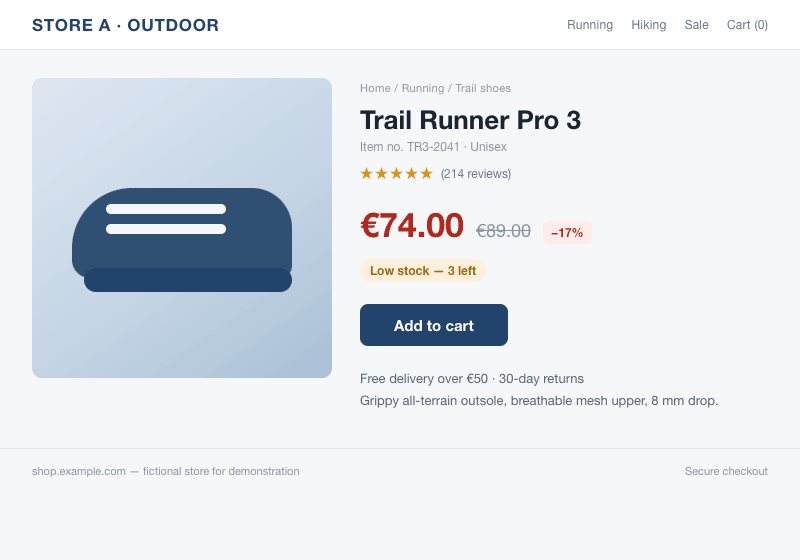
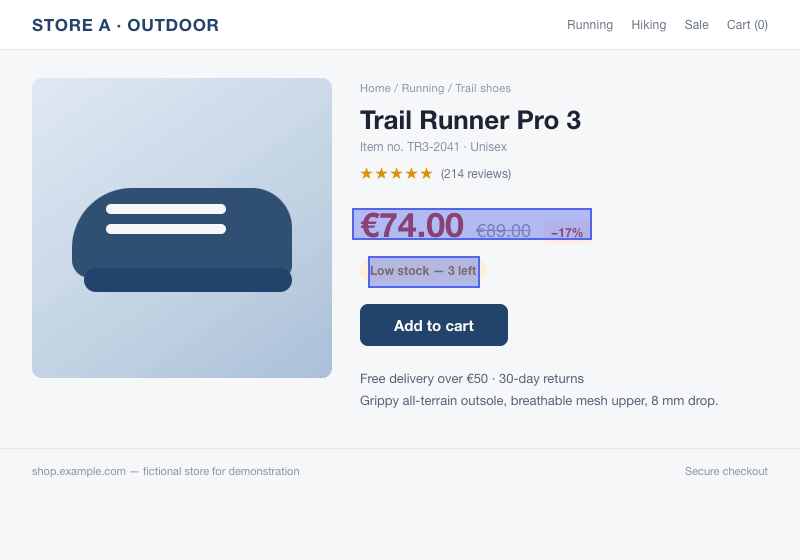
Our example uses a fictional shop and images compared by the monitoring engine. It is a demonstration, not a customer result.
Set it up
- Write down the event you actually want to know about.
- Choose a visual region, text target or product event to match that question.
- Check the initial capture or detected value before leaving the monitor running.
- Review early alerts, narrow noisy targets and choose the relevant notification channel.
What to expect
No method guarantees that a third-party site stays readable or that every temporary change is observed. Keep the source URL and monitor target specific, and verify important changes on the original page.
Screenshot monitoring starts with Pro. On that plan, picture checks run as often as every hour, subject to available credits. Text and product monitors have their own schedules.