Price drop alerts for products you want to buy
Watch a product’s price and get an alert when it falls below your chosen amount. A price monitor is useful when you have a buying threshold; a visual region is useful when you want to understand how a whole offer changed.
A product guide by ChangeEagle · Updated
Choose a target price, currency and variant
Start with the public product URL for the exact size, colour or model you want. Check that the detected price and currency match the retailer before saving a threshold. A crossed-out list price, instalment amount or members-only offer can be mistaken for the current selling price. Shipping, taxes and checkout discounts may not be included in the displayed value.
Understand what “below” means
For a below-price condition, a target of €80 is met at €79.99, but not at €80.00. The condition alerts when it becomes true rather than on every check while the price stays low. If you want to review any visible edit to an offer, including a changed billing period or included features, use a focused page monitor instead of a buying threshold.
Work through a concrete price change
In the fictional shop shown below, the displayed price falls from €89 to €74: a €15 reduction, approximately 17%. A threshold of €80 would be crossed by that change. The stock badge changes too, but it answers a separate question. Open the retailer’s page to confirm the current offer before deciding to buy.
Pick a useful check interval
Checks are scheduled visits, not a live connection to the retailer’s checkout. A short promotion can begin and end between visits. Select an interval supported by your plan and available credits, then review early results. A faster schedule is only useful if the page remains readable and you can act on the information.
Read the evidence: one page, two states
A target price of €80 would be crossed by this €89 → €74 change. A threshold alert is about the detected numeric price; these images separately demonstrate visual evidence.
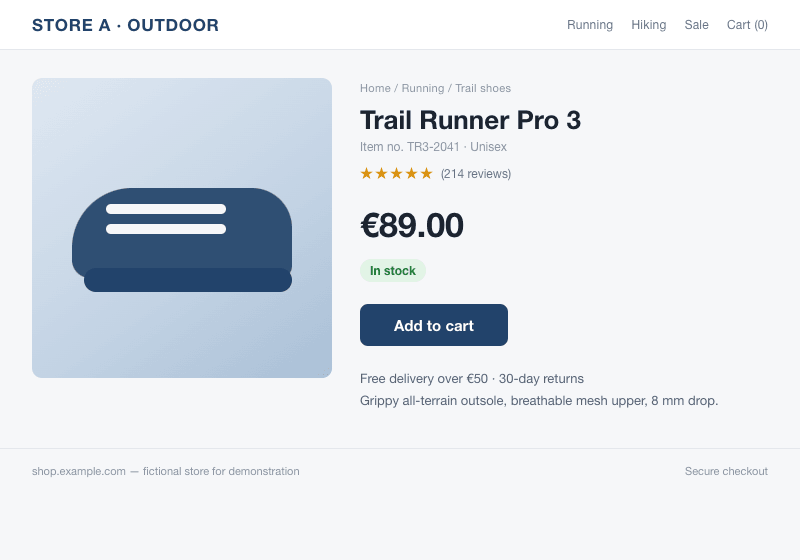
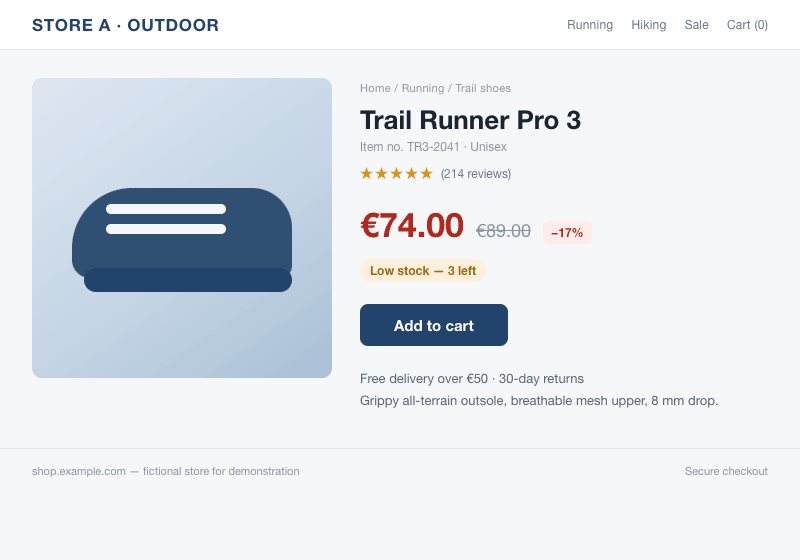
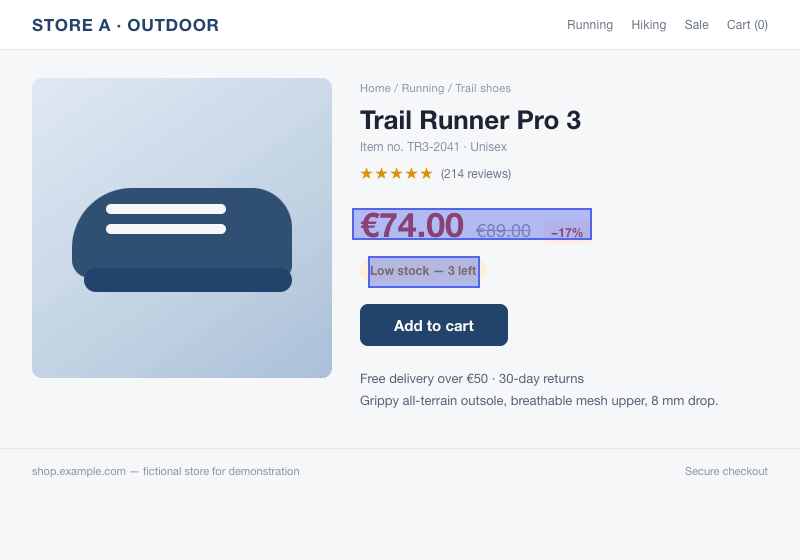
Our example uses a fictional shop and images compared by the monitoring engine. It is a demonstration, not a customer result.
Set it up
- Open the exact product or variant and confirm the displayed currency.
- Create a monitor with the price-or-stock option and enter the public URL.
- Choose a price-below condition, enter your target amount and select an available interval.
- Check the initial detected price against the source. Review the retailer’s current price when an alert arrives.
What to expect
Price extraction can fail on personalized pages, login-only offers or pages that block automated access. An alert does not buy or reserve the item and cannot guarantee the final checkout total. For a pricing card that cannot be read reliably as a product price, compare a selected screenshot region instead.
Screenshot monitoring starts with Pro. On that plan, picture checks run as often as every hour, subject to available credits. Text and product monitors have their own schedules.