Back-in-stock alerts for products you follow
A back-in-stock monitor follows a product page and alerts you when the detected availability changes from unavailable to available. It is useful for products you would otherwise check repeatedly, as long as the retailer exposes a readable stock signal.
A product guide by ChangeEagle · Updated
Start with the exact product and variant
Use the page for the size, colour or model you want where the retailer provides a distinct URL. A general product page may show one default variant even when another is sold out. Check the initial result against the page before relying on notifications.
Choose availability instead of general page changes
The product-monitoring flow supports price and stock questions. Choose the stock event you care about so a new review, rotating recommendation or changed product description is not mistaken for the outcome you wanted. If stock appears only as a visual badge, a selected screenshot region can provide a useful alternative, with a different check schedule.
Allow for the time between checks
The monitor sees the state returned when it visits. An item can return to stock and sell out again before the next check. A shorter supported interval reduces that gap but does not provide a live inventory feed. Choose a schedule you can sustain with your plan’s credits.
Read the evidence: one page, two states
This is NOT a back-in-stock event: the product was already available before the badge changed to low stock. A return-to-stock monitor answers a narrower question than a general visual change monitor.
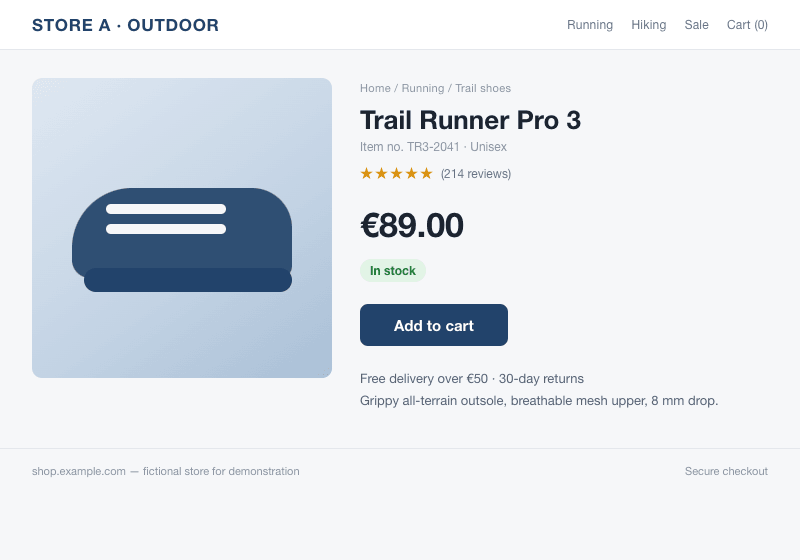
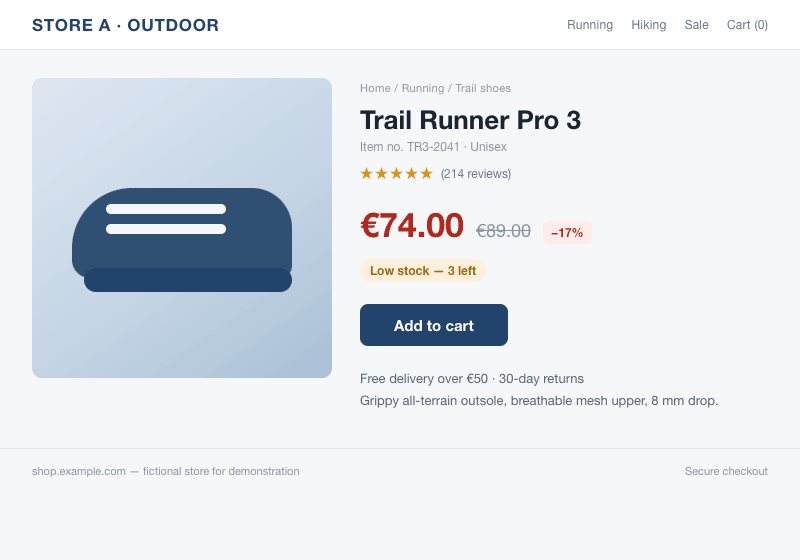
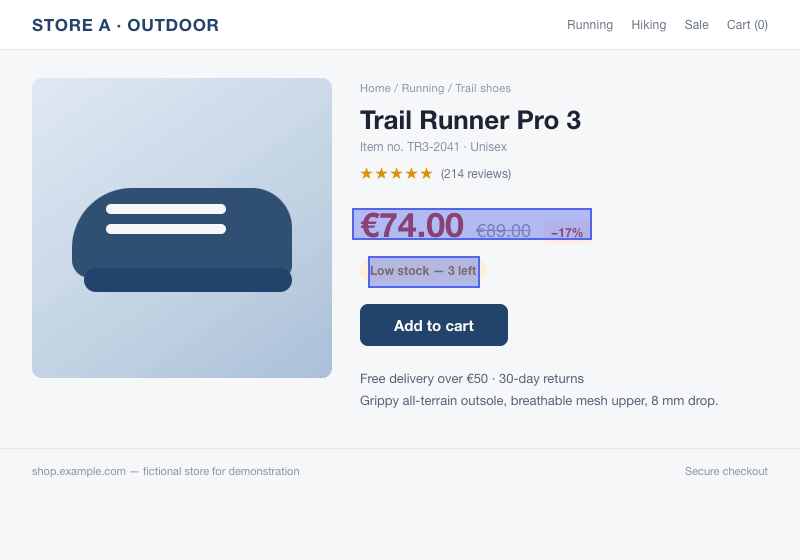
Our example uses a fictional shop and images compared by the monitoring engine. It is a demonstration, not a customer result.
Set it up
- Open the product’s public page and confirm the variant you want.
- Create a monitor using the price-or-stock option and enter that URL.
- Choose the availability event and an available check interval.
- Verify the initial detected state. When notified, open the retailer’s page to confirm current availability.
What to expect
An alert is not a reservation, a purchase or a guarantee of stock. Retailer data may be delayed, location-specific or loaded in a way the monitor cannot read. Pages behind logins, challenges or automated-access restrictions may not work.
Screenshot monitoring starts with Pro. On that plan, picture checks run as often as every hour, subject to available credits. Text and product monitors have their own schedules.