Monitor a specific part of a webpage
A price card changes while the rest of the page stays the same. A stock badge is replaced. A notice appears in a section you care about. A visual region monitor lets you draw a box around that part of the webpage and review changes through screenshots.
A product guide by ChangeEagle · Updated
Choose a region that answers one question
Include the value and enough surrounding context to identify it: the product name, plan name or availability label. Leave rotating banners, timers and unrelated recommendations outside the box. Watching the whole page can be useful for a redesign, but it introduces more movement when you only need to follow a price.
Review the evidence, not just the headline
An alert explains the detected change and can show before-and-after images and a highlighted comparison. A change in pixels does not necessarily mean a change in price or availability. Read the explanation alongside the pictures, and open the source page before making a decision.
When another monitor is a better fit
Use a product monitor when the question is whether a product is back in stock or its price has dropped. Use text monitoring when wording matters more than appearance. Screenshot monitoring is useful when visual context helps you understand the change, including labels that are difficult to select as text.
Read the evidence: one page, two states
The highlighted picture comes from our comparison engine. Focus a selection on the price and stock area when those are the values you need. Keep unrelated banners and recommendations outside it.
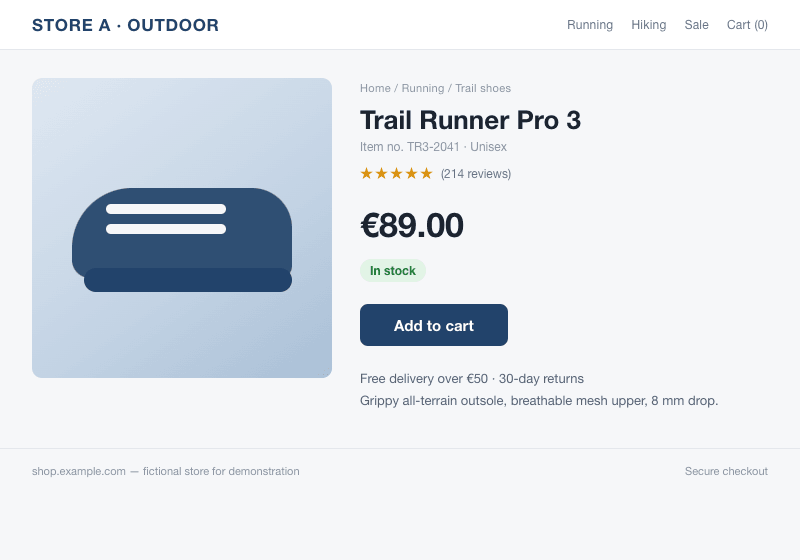
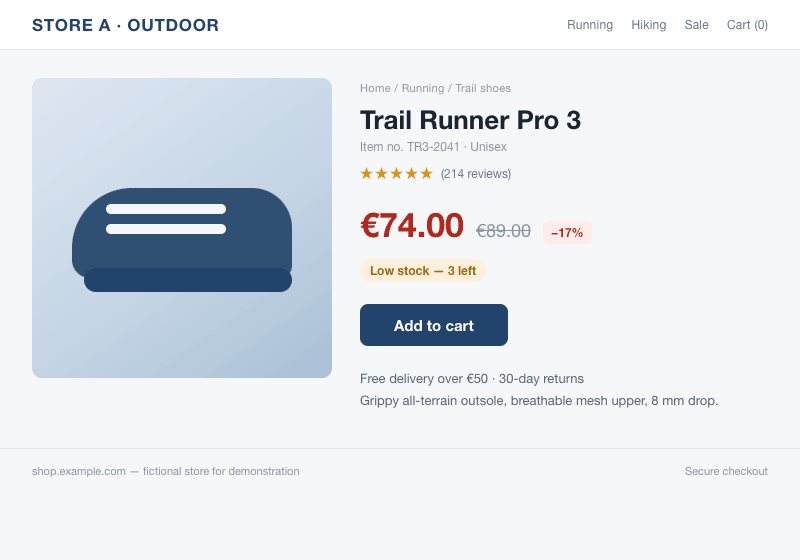
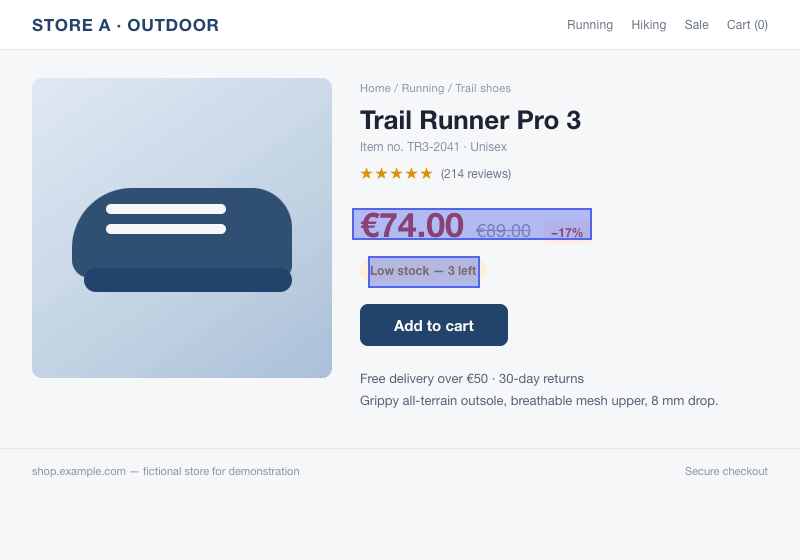
Our example uses a fictional shop and images compared by the monitoring engine. It is a demonstration, not a customer result.
Set it up
- Create a monitor and choose the page-watching option.
- Enter the public page URL and load its preview. Draw a box around the relevant section.
- Check that the selected region includes the label and value you need. Choose an available check interval.
- Save the monitor. Review its initial capture, then adjust the region if unrelated content causes noise.
What to expect
A region can be affected by layout movement, cookie banners, animations or a different page version. A page that requires a login or refuses automated access may not be suitable. Checks are scheduled visits, so a temporary change between visits can be missed.
Screenshot monitoring starts with Pro. On that plan, picture checks run as often as every hour, subject to available credits. Text and product monitors have their own schedules.